What This Covers
How to create a podcast
✅ Step-by-Step Instructions
- Go to the login page and sign in using your registered email and password.
- Click on Add Podcast
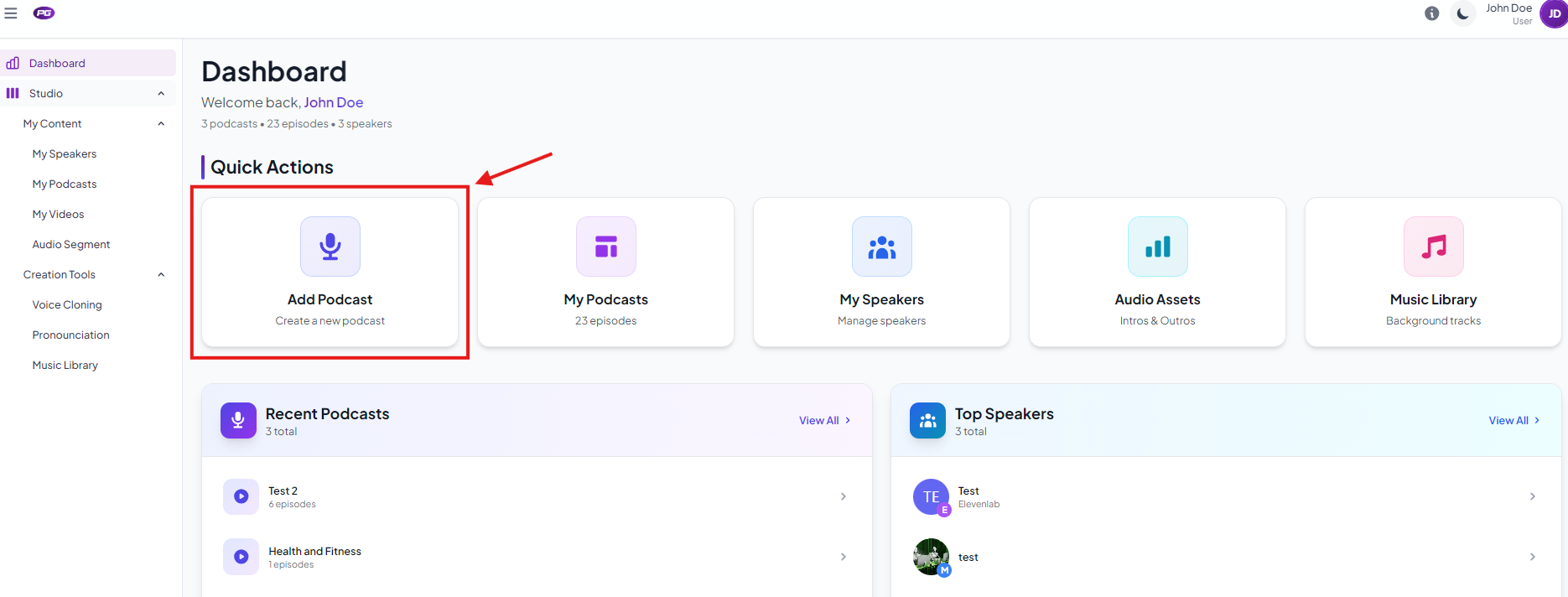
- Enter the podcast name.
- Add Intro and Outro (if you have created any)
- Click on Select Host to select the host.
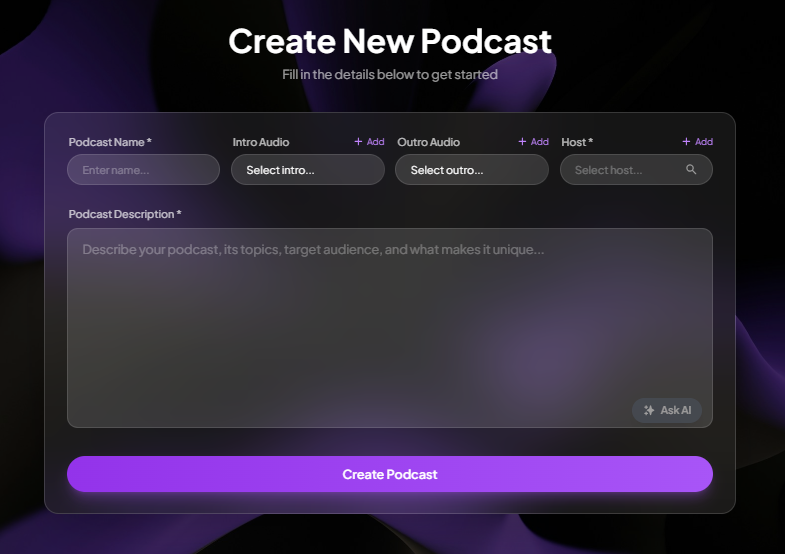
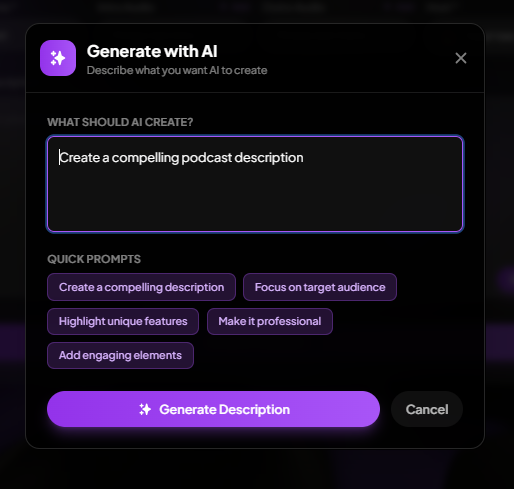
- Add podcast description or click on Ask AI to write description and tell AI what your podcast is about and them click on Generate Description. AI will give you the podcast description. (P.S: You can also edit the description if you want before submitting) Click Create Podcast
Your podcast is now created. You will be redirected to My Podcasts page.
Was this article helpful?
That’s Great!
Thank you for your feedback
Sorry! We couldn't be helpful
Thank you for your feedback
Feedback sent
We appreciate your effort and will try to fix the article