What This Covers
How to clone a voice
✅ Step-by-Step Instructions
- Head over to the Voice Cloning for the left navigation bar

- Click on Add Clone

- Enter Voice Name
- Upload MP3 of the voice you want to clone, the file size must be under 5MB
- Enter Clone Description
- Click Submit

- Your voice has been cloned
- Now head over to My Speakers to add the voice you cloned
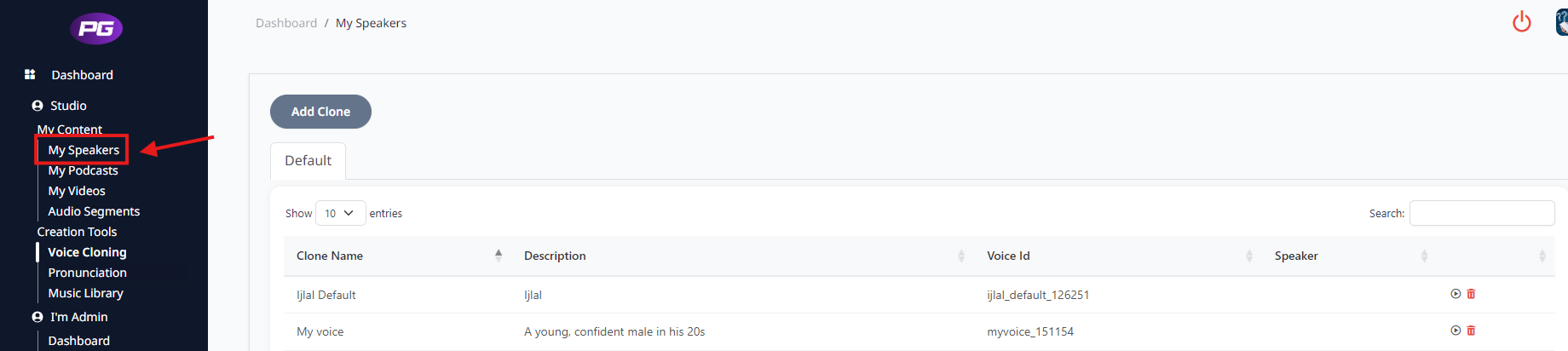
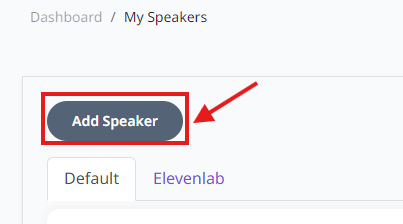
- Click on Add Speaker
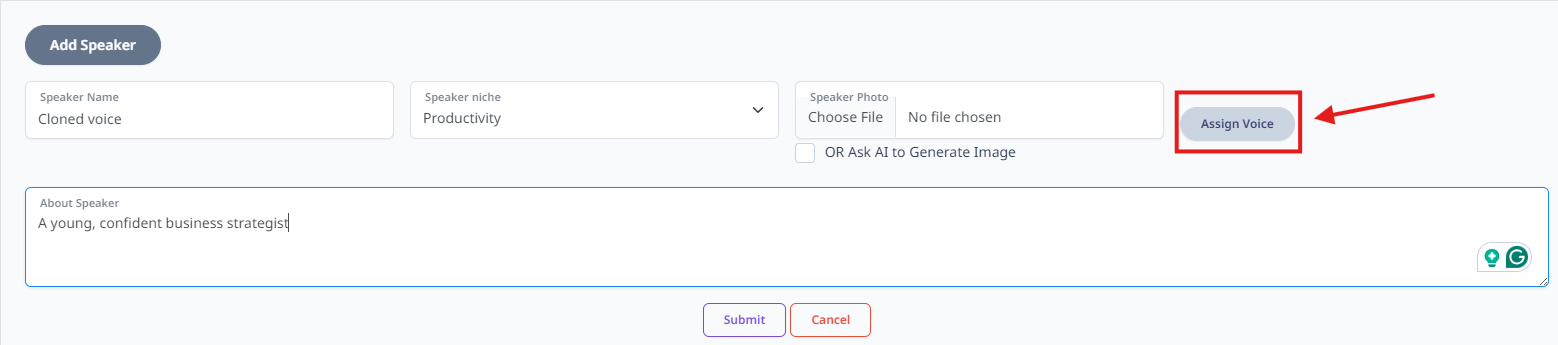
- Enter Speaker Name
- Select Niche
- Upload any image you want for the speaker or you can ask AI to generate the image
- Write About Speaker
- Click Assign Voice
- Search the voice you have clined using the name you had given when cloning.
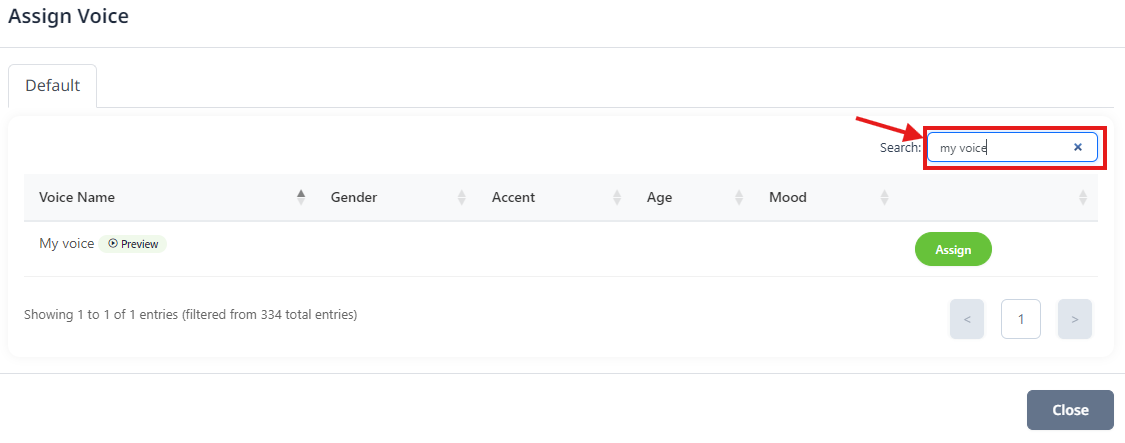
- Click on Assign

- Now click onSubmit, your cloned voice has been added as a speaker now you can use the speaker in your podcast.
Was this article helpful?
That’s Great!
Thank you for your feedback
Sorry! We couldn't be helpful
Thank you for your feedback
Feedback sent
We appreciate your effort and will try to fix the article